Under Reports you choose what to include. Reports never change the time in the time sheet. All choices are in the address, so you can save the link.
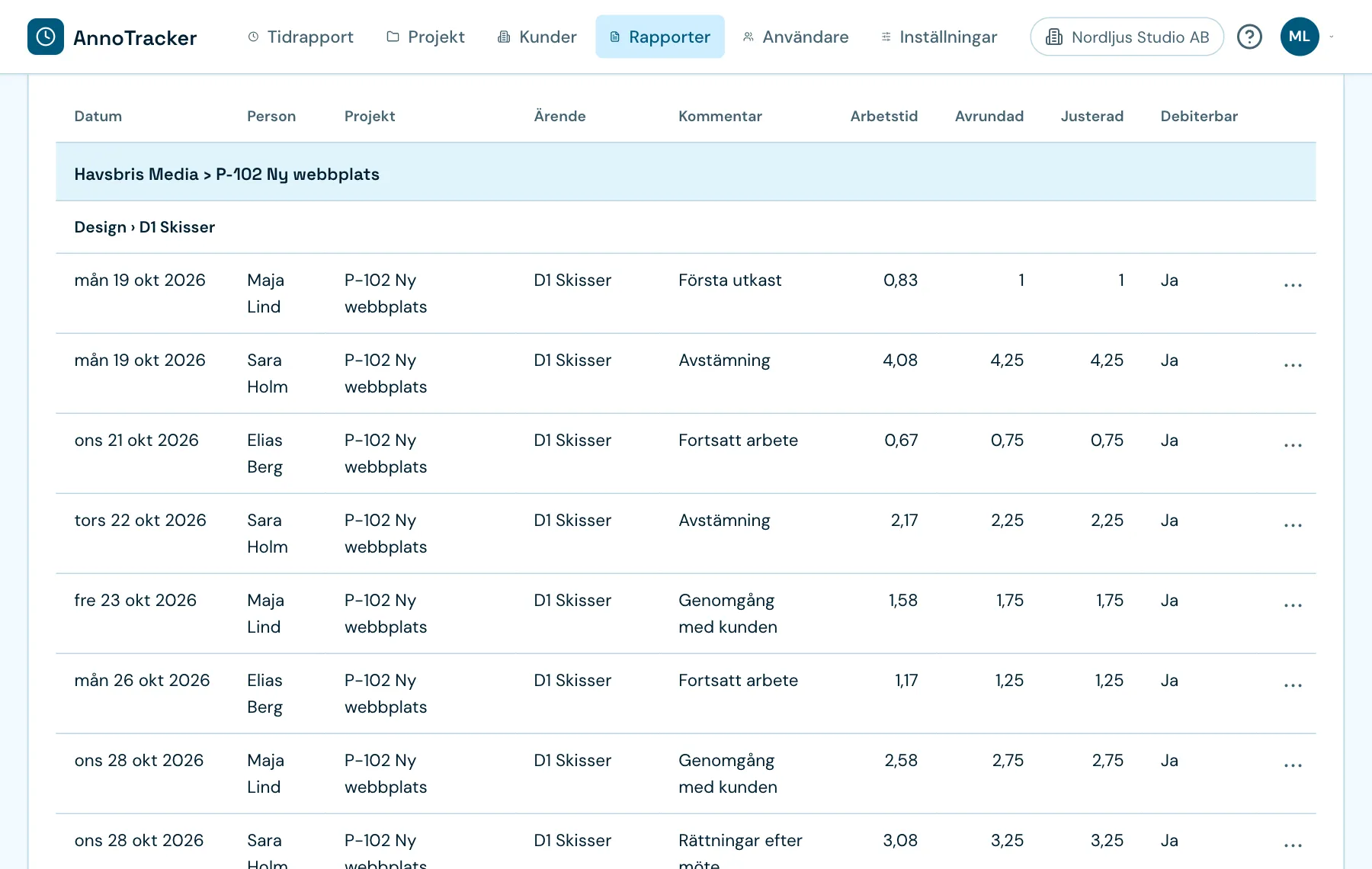
Internal or external
- Internal is for yourselves and can show the budget.
- External (to a customer) starts with billable time only, without internal projects and names and with final time. It never shows the budget.
What is included
- Period: ready-made periods or Own period
- Customer, Project, Part, Task and Person
- Billable: all time, billable only or non-billable only
How it is shown
- Group by project and task, person and project, or date
- Show time as worked, rounded or final; see the three times
- Show: every time row or totals only
- Columns: choose which and in what order
Download
- CSV contains all rows. The screen shows the first 2,000.
- PDF gets its own head under Head of the report: title, period, references and your own text. Over 2,000 rows it is made in parts in the background, and over 50,000 rows it can't be made.
Archive and templates
Every PDF you download is saved in the Report archive. You can open it again with the same choices.
Save the choices as a template saves filters, columns, grouping and head, but not the period or hidden rows.
The row in the report
The row's menu has these choices:
- Remove from the report: the time doesn't change
- Change the time: owners and admins only
- Internal note: never shown to the person, in external reports or in CSV
- Send back: the person gets an email and sees the question in their time sheet
Need to change the report itself without changing the time? Use drafts.